The Ultimate 2026 Tech Stack: The Best Tools for PhD Students

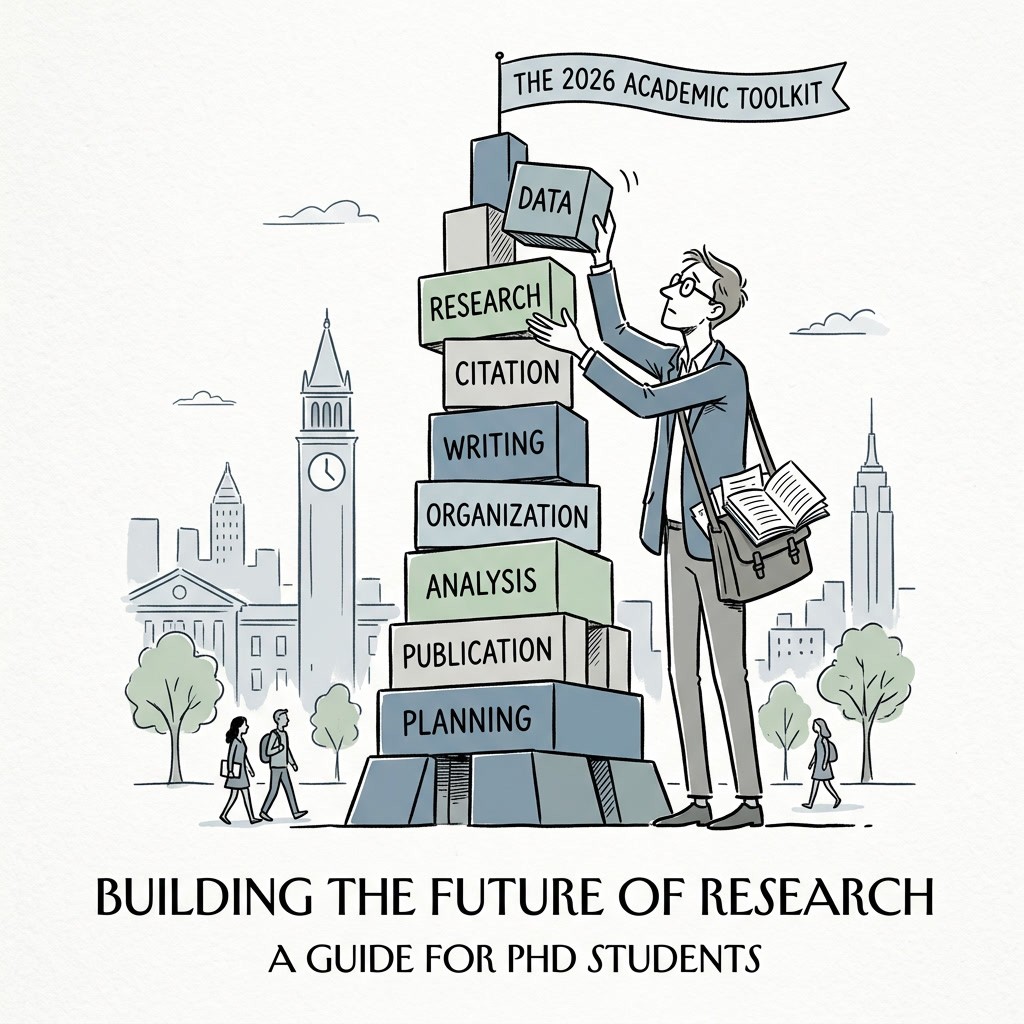
Looking for the best tools for PhD students in 2026? This guide organises PhD research tools phase-by-phase, so you can choose what you need for literature discovery, project organisation, data analysis, writing and revision, and focus. It includes non-AI tools alongside targeted AI tools where they fit. Before uploading draft chapters or data to any platform, review thesify’s criteria for academic-grade tools to check integrity and privacy expectations.
Phase 1 – Literature Discovery & Reference Management
If you are still saving downloaded PDFs to a folder called “Read Later,” your literature review will eventually become difficult to search, audit, and cite accurately. The foundation of a doctoral project is a system for locating sources, storing PDFs, and generating citations consistently.
Most literature review tools fall into two categories:
Reference managers for collecting PDFs and formatting citations
Academic literature mapping tools for discovering and tracing relevant work across a field
You get the best results by pairing one strong reference manager with one or two discovery tools, then using them consistently from the beginning of your project. If you are still building your process, start with our step-by-step literature review guide so your search, screening, and synthesis choices are clear before your library grows.
How to choose the best reference management software in 2026
Before picking a tool, check three basics:
Capture speed: Can you save citation metadata and PDFs reliably from databases and publisher pages?
Writing workflow: Does it integrate with Word, Google Docs, or LaTeX (Overleaf) in the way you actually write?
Scale and collaboration: Can it handle large libraries and shared annotation if you work in a team?
If you are in the early filtering stage, apply a quick triage method before you commit hours to reading. Review our framework on How to Evaluate Academic Papers: Decide What to Read, Cite, or Publish to streamline your screening.
Zotero – The Open-Source Standard for Citations
For many PhD students, Zotero is the default because it is free, lightweight, and widely supported. As an open-source reference manager, it is also a strong choice if data control and long-term portability matter to you.
The main advantage of the Zotero citation manager is capture and workflow:
The browser extension pulls metadata, PDFs, and citation information directly into your library.
It integrates with Word and Google Docs for in-text citations and reference lists.
If you are weighing Zotero vs EndNote, Zotero tends to win on cost, ease of setup, and the plugin ecosystem. Pair it with a citation style reference you trust, especially if your department is strict about formatting. The Ultimate Collection of Free Citation Guides for Students and Researchers is a useful reference to keep bookmarked.
EndNote & Mendeley – Managing Large Citation Libraries
Zotero covers most workflows well, but large-scale reviews and lab-based collaboration often require different trade-offs. If you are doing a systematic review or managing a very large library, you may reach the EndNote vs Mendeley decision point.
EndNote is often used for scale and advanced reference management:
handles very large libraries
supports advanced grouping and filtering
fits workflows common in health sciences and some STEM environments
Mendeley is often chosen for shared reading and annotation:
strong PDF viewer and highlighting
easier sharing and collaboration in group settings
useful when co-authors annotate and discuss papers together
If you only need a quick citation generator for occasional use (rather than a full reference manager), Top 10 Free Reliable Citation Generator Tools for Students & Researchers fits naturally as a fallback option.
AI Discovery Tools (Consensus, Connected Papers, Litmaps)
Alongside databases and Google Scholar, AI literature discovery tools can accelerate early-stage mapping, especially when you are trying to identify what a field broadly finds, debates, or ignores.
Consensus supports claim-focused searching:
extracts core findings from research papers
helps you quickly check whether evidence converges or diverges on a narrow question
useful for early screening, not as a substitute for reading
Connected Papers and Litmaps support academic literature mapping:
start from one seed paper
generate a network of related work (prior and derivative papers)
useful for tracing the lineage of an idea and checking whether you have missed a key cluster
A practical boundary: use these tools to improve discovery and coverage, then assess the papers directly using your discipline’s standards for evidence and argument. If you want a grounded framework for what makes an AI tool appropriate for academic work, AI Tools for Academic Research: Criteria to Identify Academic-Grade Tools is the right place to start. For more tool-specific recommendations, see Top 5 of AI tools for PhD students.
If your goal is not just finding papers but positioning your project within the field’s argument structure, Mapping the Conversation: How to Identify and Synthesize Key Research is the most relevant next step.
Phase 2 – Project Management & Knowledge Organization
Doctoral work rarely follows a predictable sequence. Research questions shift, methods get revised, and timelines change when data, supervision, or fieldwork realities intervene. That is why many corporate project-management tools (Asana, Jira, Monday.com) can feel mismatched in academia. They assume stable deliverables and linear execution. A dissertation is iterative by design.
For most PhD students, “project management” and “knowledge organisation” are the same problem viewed from two angles:
Project management software for researchers helps you externalise what you are doing next, what is blocked, and what needs a decision.
Academic knowledge management helps you retain and retrieve what you learned, what you decided, and why.
The best PhD organisation apps support both, without requiring you to maintain an elaborate system. If routines collapse every time the semester gets busy, start with 3 Tips for a Strong Start to the Academic Year, then build a workflow you can keep running even under deadline pressure.
Notion – Your Customisable Academic Dashboard
As a PhD organisation app, Notion is useful when you need one place to track tasks, meeting outcomes, and project materials, and you want the same information visible in different ways (list, board, calendar). Its strength is that it behaves like a database first, and a task manager second, which suits non-linear dissertation work better than rigid ticketing systems.
A simple Notion setup that tends to hold up during a PhD includes:
Supervisor meeting log: date, agenda, decisions made, action items, and links to drafts
Reading log: citation, keywords, one-paragraph takeaway, and where it fits in your argument
Writing pipeline: chapters or papers as “projects,” each with a clear next action
Weekly task view: a short list that you can actually complete
A common failure mode is building a perfect dashboard and then abandoning it. Keep the structure minimal, and treat Notion as a record of decisions and next steps. If you need help translating “write Chapter 3” into schedulable work, Step-by-Step Academic Writing Guide: Breaking Down Every Task for a Successful Final Draft gives a practical task-level breakdown.
Obsidian – Non-linear Knowledge Graphing
For many researchers, Obsidian becomes valuable when academic knowledge management is the bottleneck, not capturing information, but connecting concepts, claims, and evidence across years of reading. Used consistently, it helps you build a personal map of the field that you can draw on when you draft chapters or papers.
Because Obsidian stores notes as local Markdown files, it supports long-term ownership and portability. The payoff comes from how you structure notes. A Zettelkasten-style approach is one practical method:
Write one note per claim, concept, or mechanism (not one note per paper).
Link notes based on relationships (supports, contrasts, extends, example of).
Keep citations attached to claims, so you can trace evidence when writing.
Periodically create “map” notes that summarise a cluster and point to key links.
Over time, this reduces synthesis overhead because you are not reconstructing the argument structure from scratch every time you draft. To formalize this into an explicit workflow, follow our guide on Mapping the Conversation: How to Identify and Synthesize Key Research
Phase 3 – Data Analysis & Publication-Ready Visualization
If you are in STEM or quantitative social science, spreadsheet workflows tend to fail at the same two points:
reproducibility
You can often get results once, but you cannot reliably regenerate the same results after revisions, new data, reviewer requests, or a changed inclusion rule. That is when you need reproducible research tools and data visualisation tools for science that produce journal-ready outputs from a rerunnable pipeline.
If you want a practical standard for this phase, use a simple test: can you regenerate your key tables and figures from raw data in one run, without manual steps. Once you have a stable output, audit how you report it using Scientific Paper Results Section Feedback: How to Audit Your Draft for Transparency and Rigor.
RStudio / Python (Jupyter) – Powerhouses for Reproducibility
Most students get stuck on the “R vs Python for PhD research” framing. The real question is whether you need an analysis workflow you can rerun, inspect, and revise without reconstructing steps manually. That is what RStudio and Python in Jupyter notebooks provide.
If you are weighing RStudio vs Python for researchers, decide based on what your field expects and what you need to do most often:
Choose R when your work is statistics-heavy and you need strong conventions for modelling, reporting, and figure generation in academic contexts.
Choose Python when your workflow leans toward machine learning, automation, data engineering, or when you are already embedded in Python tooling for your lab.
Minimum standard for reproducible data analysis (regardless of language):
one script or notebook that starts from raw data and outputs cleaned data plus final tables/figures
fixed package environments (so results do not change because versions changed)
explicit handling of randomness (seeds) when applicable
figures exported directly from code, not edited manually after the fact
This is the peer review advantage: if you need to rerun the analysis with a different exclusion rule or an additional covariate, you revise the pipeline and regenerate outputs with an audit trail.
GraphPad Prism – Life Sciences Staple
If you are looking for publication-ready graphs without coding, GraphPad Prism remains common in wet-lab and clinical contexts because it combines standard biostatistical workflows with figure export in a single interface. A credible GraphPad Prism review usually comes down to fit: Prism is most useful when your analysis is built around standard experimental designs and commonly used test families.
Prism is a good choice when you need:
fast analysis for standard lab designs
clear, consistent figure outputs for journal submission
a workflow that prioritises usability over automation
Prism becomes limiting when you need:
complex modelling, custom pipelines, or large-scale automation
full traceability from raw data to figure without manual steps
rapid iteration across many parameter changes
If you are actively comparing GraphPad Prism alternatives, the practical split is usually “GUI convenience” versus “code-level reproducibility.” Prism covers the convenience side well. R or Python will usually outperform Prism on automation and re-runnability.
Before submission, check whether your tables and figures communicate what they claim and meet basic presentation standards using How to Get Table and Figure Feedback for Your Scientific Paper.
Phase 4 – Academic Writing, Formatting & Structural Audits
At the manuscript stage, two constraints determine how fast you can finish:
whether your document is stable under revision
whether your feedback loop is fast enough to support real iteration.
A practical stack combines academic writing software for thesis drafting and formatting with a dissertation feedback tool that helps you stress-test structure and claims before supervisory review.
This section covers three tools that solve distinct problems:
formatting and collaboration (Overleaf)
chapter-level revision and argument audits (thesify)
Overleaf – Collaborative LaTeX Formatting
If you are working in LaTeX, Overleaf is the most practical way to keep formatting and collaboration under control, especially when figures, equations, and bibliographies change repeatedly during revision. It removes most of the local LaTeX setup burden while still giving you LaTeX-level control over layout and references.
Two features matter most in a PhD workflow:
LaTeX thesis template libraries: Use a template that matches your university or target venue early, then avoid manual formatting fixes later.
Overleaf LaTeX collaboration: Real-time co-author editing with version history is useful for multi-author papers and lab-group drafts where changes need to be tracked cleanly.
If you are selecting tools for writing and revision more broadly (including AI-assisted tools), Best AI Tools to Improve Academic Writing 2026 provides a relevant overview.
thesify – Chapter-Level Revision and Socratic Feedback
Most PhD timelines are constrained by feedback latency. When supervisor comments arrive weeks later, you often end up revising under deadline pressure rather than iterating deliberately. A thesis revision software that audits drafts before submission reduces that bottleneck, particularly for structure and argument quality.
thesify is an academic feedback tool, not a text generator. Two workflow use-cases are most relevant:
Upload dissertation chapter for feedback: Upload full chapters to receive rubric-aligned feedback on structure, methodology, literature synthesis, and claim strength.
Socratic feedback for PhD students: Treat flagged issues as prompts to clarify your reasoning and tighten alignment between evidence and claims, rather than rewriting in a generic voice.
If you want a clear process for applying feedback to chapter revision without losing authorship, check out How to Improve Your Thesis Chapters Before Submission: 7-Step AI Feedback Guide for Graduate Students.
If you want to understand how to convert feedback into a revision plan, Chat with Theo: A New Way to Turn Feedback into Revision is another useful resource.
Writefull & Grammarly – AI-Assisted Clarity
Once the structural pass is complete, move to line-level clarity. The goal at this stage is reducing avoidable friction for your reader by tightening grammar, phrasing, and consistency.
Two wisely used proofreading tools:
Grammarly for academics: Useful for general grammar and readability, but it can mis-handle specialised terminology and field-specific phrasing. Treat suggestions as prompts, not rules.
Writefull scientific proofreading: Better aligned to academic register because it is trained on published literature, so its phrasing suggestions often match common journal style more closely.
If you want to further understand the main objection researchers have to these tools (do they actually help, or just homogenise writing), AI Proofreading Tools for Academic Writing: Are They Worth It? covers this topic in more depth. For voice concerns specifically, How to Preserve Your Academic Voice While Using AI Writing Tools is another strong resource.
Continuous Operations: Focus & Time Management
Sustaining output across a multi-year doctoral project requires systematic time management. Relying on sheer willpower inevitably leads to burnout and missed deadlines. Establishing baseline workflows with the best productivity tools for doctoral students ensures consistent progress across all phases of your research. If you are analyzing how to stay focused during a PhD, integrating specialized productivity apps for PhD students is a structural necessity, not a supplementary habit.
Focus Apps and the Pomodoro Timer
Cognitive fatigue degrades the quality of high-level synthesis and writing. Employing focus apps to enforce structured work intervals directly mitigates this degradation. Utilizing a Pomodoro timer works when it forces a bounded interval and a concrete deliverable.
A usable default:
Set a 25–50 minute block.
Define a single output that fits inside the block (for example, extract claims from two papers into notes, code five pages of transcripts, draft one subsection, revise one paragraph).
Take a short break, then start the next block.
Tools like Forest or Focusmate are useful examples because they target different failure modes. Forest reduces phone checking. Focusmate adds accountability. Choose one, keep it stable for two weeks, and judge it by output produced, not time spent.
If avoidance is the bottleneck, start with Overcome Thesis Procrastination and Finish Your Thesis on Time before you add more tools.
Academic Time Tracking
Projecting completion dates for thesis chapters or laboratory experiments requires empirical baseline data on your own work habits. Academic time tracking gives you baseline data for how long your work actually takes, which you need if you are planning chapter delivery, analysis iterations, or submission deadlines.
Toggl Track is a practical option because it is low friction. Track only categories you will use for planning:
literature review work
analysis and coding
writing and revision
After 1–2 weeks, totals from time management tools to do 3 things:
estimate realistic completion dates for upcoming work based on your
identify bottlenecks (unbounded reading, revision without prioritisation, admin displacing writing)
set weekly targets that reflect your actual capacity
If you want concrete tactics to protect writing time and increase draft output, see 10 Tips to write your PhD Thesis faster.
Discipline-Specific Tool Stacks
Tool choice is discipline-dependent, because the constraints that shape your workflow differ by field. The best tools for humanities PhD work tend to prioritize source management, annotation, and long-form drafting across large document sets.
In social sciences, discipline-specific research tools often need to support qualitative or mixed-methods organisation, coding trails, and transparent links between evidence and claims.
In lab settings, lab-based PhD software is usually selected for protocol tracking, data integrity, reproducible analysis, and collaboration across teams.
Use the stacks below as starting points, then adapt them to your methods, data sensitivity, and submission requirements.
Humanities Research Stack
Archival research and thematic analysis demand robust text management. The best tools for literature PhD candidates must organize thousands of primary source pages without system latency. A highly functional literature research workflow requires integrating specific humanities research tools:
Zotero manages the extensive, highly specific metadata required for Chicago-style citations.
Scrivener provides a binder-based interface critical for structuring book-length humanities dissertations, allowing you to move chapters seamlessly.
Deployed for non-linear thematic linking, this prevents archival disorientation and maps conceptual arguments across years of reading.
For field-specific writing strategies, review our guide on How to Write an Academic Essay in Humanities.
Social Sciences Research Stack
Mixed-methods and ethnographic research require secure data handling and complex thematic coding. When selecting tools for qualitative PhD research, prioritize systems that integrate rigorous literature mapping with auditable data extraction.
Interview coding software:
EndNote vs Connected Papers: This decision hinges on your review type.
Deploy EndNote for managing the massive databases required for systematic reviews.
Utilize Connected Papers to visually track the evolution of specific theoretical frameworks.
Integrating these specialized qualitative research tools help improve methodological rigor by supporting an auditable coding trail during peer review. For theory integration, see How to Use Theory in Academic Papers.
Lab-Based STEM Stack
Experimental reproducibility is the baseline requirement for the hard sciences. The best tools for STEM PhD research must centralize protocols, raw data pipelines, and statistical code.
Lab notebook software:
Analytical and Operational Systems:
Your core STEM research tools must include RStudio for data analysis (or Jupyter Notebooks for Python) to maintain statistical transparency.
Coordinate these efforts using robust lab project management software (e.g., Trello or Asana) for equipment booking and grant milestone tracking.
LaTeX writing tools:
Transition all technical manuscript drafting to Overleaf to natively handle complex equations, algorithmic formatting, and multi-author lab group edits.
For reporting checks, use Scientific Paper Results Section Feedback Audit.
Tools for PhD Students to Watch in 2026
The category changing fastest in doctoral workflows is the layer of AI research tools 2026 built for literature discovery, extraction, and critique. The practical task is to evaluate whether a tool improves your workflow without creating integrity or privacy risk. If you are comparing the top AI tools for academics 2026, apply the same standard you would apply to any research method: traceability, reproducibility, and clear limits.
Advancements in Semantic Extraction
A major shift in the best AI tools for academic research is the move from keyword-based search toward semantic extraction. The newer platforms focus on pulling structured information from papers at scale, such as:
methods and design features
outcomes and effect estimates
sample characteristics
stated limitations and boundary conditions
For researchers running systematic reviews or scoping reviews, this type of semantic extraction can reduce time spent on initial screening and data extraction. It does not replace appraisal. It changes where time is spent, away from manual retrieval and toward evaluation and synthesis.
The Shift Toward Analytical Feedback
The tools gaining traction in academia are those that fit academic workflows and provide analytical feedback. In practice, this looks like Socratic prompts and audit-style checks that help you test:
logical flow and claim strength
alignment between research question, method, and inference
whether citations support what the sentence claims
This is the direction that aligns with academic integrity expectations because it keeps authorship in your voice while still tightening argument structure and reporting quality.
Ethical Considerations and Compliance
Treat tool choice as a data governance decision. Do not upload unpublished lab data, participant interviews, confidential peer review, or proprietary code to systems that do not offer clear privacy protections and institutional compatibility.
Conclusion – Building Your 2026 Research Workflow
To build your PhD toolset, prioritize workflow fit. Start by mapping tools to the phases of your thesis writing process, then standardize how you use them (naming, folders or tags, templates, export formats) so you are not rebuilding your system mid-draft.
A workable research workflow planning checklist:
One capture system for sources and notes, so evidence is retrievable during writing.
One analysis pipeline you can rerun after revisions, so tables and figures stay consistent.
One structured feedback loop for drafts, so revision is not limited by supervisor turnaround.
If output consistency is your main bottleneck, use 10 Tips to write your PhD Thesis faster to protect your writing blocks. If you want a focused overview of where AI tools help and where they create risk, see Top 5 of AI tools for PhD students in 2025.
Get Chapter-Level Feedback with thesify
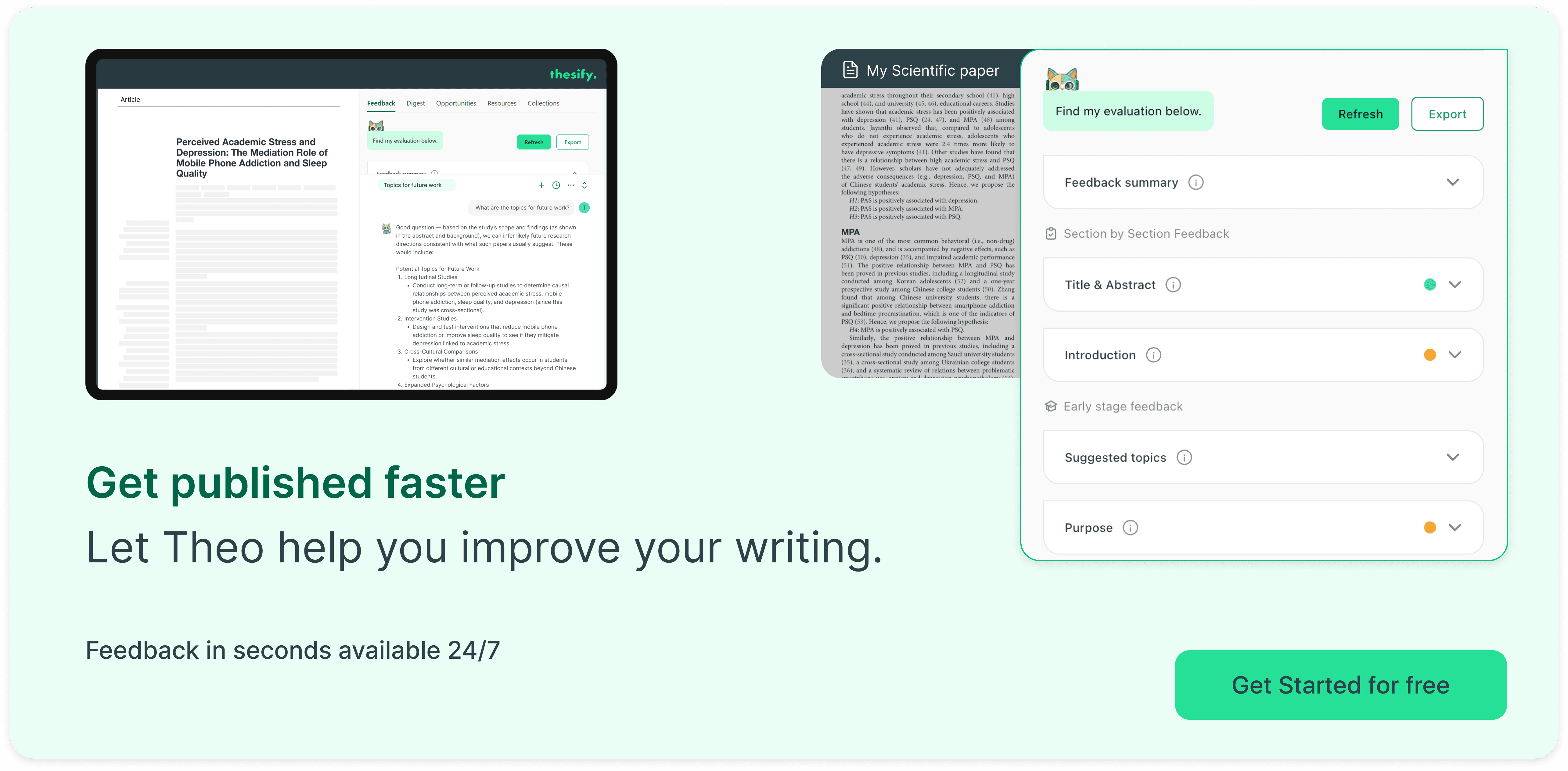
If you want chapter-level feedback before you send a draft to your supervisor, sign up for free to thesify today and upload a chapter. Use the rubric-aligned prompts to revise structure, methods reporting, literature synthesis, and claim strength.
Related Posts
Academic AI Tools: Criteria & Top Research Picks 2025: A PhD‑focused guide to choosing AI research tools. An academic AI tool combines transparent citations, reproducible outputs, data‑protection compliance, hallucination controls, and support for disclosure. It aligns with institutional policies and helps researchers verify facts. Understand evaluation criteria like source traceability, GDPR compliance and fact‑checking. Beyond traditional listicles, our academic AI tool guide defines ‘academic’ AI, comparing top tools and showing how thesify upholds research integrity.
How to Improve Your Thesis Chapters Before Submission: 7-Step AI Feedback Guide for Graduate Students: These 7 steps help ensure your thesis is submission-ready, polished, and aligned with academic standards. Of course, even the best feedback is only helpful when combined with your critical thinking. Use thesify’s input to identify weaknesses, then trust your academic instincts to refine your argument with confidence. This article starts with thesis statement strengthening and guides you to the concluding step of covering the last-mile tasks that ensure a polished submission, rounding out our step-by-step guide.
Best AI Tools To Improve Academic Writing (2026 Guide): Improve academic writing in 2026 with AI tools that help PhD students refine structure, clarify sentences, map literature, and prepare submissions. Writing at doctoral level is rarely a problem of ideas alone. Most researchers can explain their projects clearly in conversation. Difficulty arises when those ideas must become a long dissertation chapter, a tightly argued article, or a grant proposal with strict page limits. The work of academic writing lies in giving structure to complex material, making claims traceable to evidence, and maintaining a precise, discipline-appropriate style from first paragraph to last.