Best AI Tools for Academic Research in 2026: Workflow Guide


The best AI tools for academic research help researchers find papers, assess evidence, map citation networks, analyze research materials, and check drafts before submission.
General-purpose AI can help with brainstorming, but it is unreliable as a basis for literature review or source selection. Researchers still need to verify citations, compare summaries with the original papers, and check whether each claim is supported by the evidence.
This guide is organized by research workflow: discovery, literature mapping, evidence extraction, research interpretation, and pre-submission review. It is written for researchers, postdocs, faculty, and research teams choosing tools for verifiable academic work.
Review Your Research Draft Before Submission
thesify Reviewer checks your manuscript, conference paper, or research report for argument clarity, methodology, structure, evidence support, and reviewer-facing weaknesses before it leaves your team.
What Makes an AI Tool Useful for Academic Research?
For academic research, usefulness depends on task fit and verifiability. A strong tool should help you locate papers, screen sources, map citations, extract evidence, analyze research materials, or review a draft before submission.
How We Assessed These Tools
Source traceability: Can you check claims, summaries, or recommendations against the original paper?
Reliability: Does the tool reduce the risk of inaccurate citations, weak summaries, or unsupported claims, or does it create more checking work than it saves?
Research function: Does it support a defined research task, such as paper discovery, PDF screening, citation mapping, study comparison, evidence extraction, data interpretation, or pre-submission review?
Workflow value: Where does it belong in the research process?
Verification burden: How much checking do you need to do before using the output?
Cost: Is the free plan usable, or are the relevant features behind a paid plan?
These are the criteria used throughout this guide. For a more detailed framework, see AI Tools for Academic Research: Criteria to Identify Academic-Grade Tools.
Best Free AI Tools for Finding Research Papers
When evaluating AI tools for the discovery phase, the primary metric is database integrity. If a search tool draws heavily on unvetted web material, it creates more verification work and makes source selection less reliable. The platforms below solve this by restricting their retrieval processes to locked, scholarly databases and research corpora.
Core discovery stack:
Consensus: best for quick evidence-backed answers
Elicit: best for finding and comparing papers
Semantic Scholar: best for AI-assisted academic search
Perplexity: best for supplementary exploration, but not as a standalone
1. Consensus
Consensus functions as an AI academic search engine built on a large peer-reviewed research database. Rather than returning only a list of related links, it surfaces papers and synthesises the evidence around a focused query.
Best for: Rapid, evidence-backed answers to focused
Database: 200M+ research papers.
Main strength: The Consensus Meter, which shows whether evidence leans yes, no, possibly, mixed, or possibly on a given question.
Main limitation: The free tier is usable, but capped at 3 Deep Searches per month, 15 Pro Analyses, 10 Study Snapshots, and 10 Ask Paper messages.
Best use case: testing a focused claim before deeper literature searching.
Pricing: free tier available; Pro is listed at $15/month or $120/year, and Deep is listed at $65/month or $540/year.
2. Elicit
Elicit is strongest when the task moves beyond search and into structured comparison. It is built for literature review workflows, particularly when you need to extract methods, variables, outcomes, or study details across multiple papers. Elicit says it supports search across more than 138 million papers and offers reports, table-based extraction, alerts, and library features.
Best for: Extracting and comparing study details across a body of literature.
Database: 138M+ papers, plus uploaded papers and paper chat features.
Main strength: Structured extraction tables and report workflows built for evidence synthesis.
Main limitation: The free Basic plan is narrower than your draft suggests. It currently includes 2 automated reports per month and lets users add 2 columns to tables at a time.
Best use case: building a comparison table and comparing papers at the point where you are trying to identify patterns,
Pricing: Basic is free; Pro is listed at $49/user/month billed annually, and Scale is listed at $169/user/month billed annually.
3. Semantic Scholar
Semantic Scholar is a free AI-powered academic search tool for building a starting corpus and tracking related work. It indexes 233M+ papers and combines search with TLDR summaries, citation signals, recommendations, folders, and alerts.
Best for: building a foundational reading list
Database: 233M+ papers
Main strength: discovery features, including TLDR summaries and influential citation signals.
Main limitation: better for discovery than cross-paper extraction or synthesis.
Best use case: establishing a starting corpus and tracking new work in a defined field.
Pricing: free.
4. Perplexity (Use with Caution)
Perplexity is best treated as a supplementary tool. Officially, it presents itself as a general AI answer engine for “any question,” not as a dedicated academic database. That makes it useful for orientation, terminology, and quick exploration, but weaker as a tool for building a formal bibliography.
Best for: Clarifying terminology, exploring adjacent topics, and generating starting points for follow-up search.
Database: Broad answer engine, not a dedicated scholarly index.
Main strength: Speed, follow-up questioning, and ease of use.
Main limitation: It is not purpose-built for academic source discovery, so it should not replace a research database tool.
Best use case: Preliminary orientation before moving into a database-grounded search workflow.
Pricing: Free plan available; Pro costs $20/month or $200/year.
Best AI Tools for Literature Review and Citation Mapping
Keyword searches are inherently limited by the researchers’ vocabulary. If you do not know the exact terminology a subfield uses, a standard search engine will not show you the papers. To overcome this, researchers use interactive literature mapping AI to trace how papers are connected through history, moving beyond keyword matching to track actual scholarly influence.
Citation Snowballing
This process is known as Citation snowballing. Instead of searching blindly, you can use these tools to build a visual network. The workflow is simple but highly effective:
Start with one anchor paper (a highly relevant, recent study in your field).
Map backward citations to find the foundational, seminal works the anchor paper relied upon.
Map forward citations to see which newer studies have cited your anchor paper, revealing the current state of the field.
Identify clusters, outliers, and repeated names to see who the leading authors are and how the methodology is evolving.
Use the map to refine the literature review structure, ensuring you have not missed a critical counter-argument or adjacent field.
To execute this workflow, you need AI tools for citation mapping. Here is how the top platforms compare:
The Literature Mapping Matrix
Tool | Use When | Main Strength | Main Limitation | Free Plan / Paid Plan |
Visual Discovery | Maps citation networks in real-time with highly customizable visuals. | The free tier limits you to basic searches up to 20 inputs, 2 Litmaps, and 100 articles per map. | Yes. (Educational Pro starts at $10/month billed annually with an academic email.) | |
Field Overview | Groups papers by semantic similarity, not just direct citations. | It only allows a single seed paper to generate a graph. | Yes (5 graphs/mo) Academic plan starts at $6/month | |
Content Discovery | Uses a "Spotify-style" algorithm to suggest new papers based on your collections. | The user interface can feel visually overwhelming for beginners | Yes (Generous free tier) RR+ starts at $10/month annually or $12.50/month. | |
Fast discovery | Useful for finding related papers and bridge studies between fields. | Lacks the advanced visual customization of Litmaps. | Yes (100% Free) |
How to Choose a Citation Mapping Tool for Literature Review
Each platform fits a different mapping task:
Litmaps: is the strongest option for researchers who need to visualize exactly how a highly specific set of papers interact with one another over a timeline.
Connected Papers: is the best AI tool for literature review overviews. If you find a single excellent paper and want to know "what else looks exactly like this?" without building a complex library, this tool provides an instant snapshot of the field.
ResearchRabbit: is ideal for ongoing, long-term discovery. By adding a few papers to a collection, the AI continuously works in the background to recommend new publications, making it an excellent tool for mapping the academic conversation.
Inciteful: is built purely for speed and efficiency. By entering two papers from seemingly different fields, Inciteful will map the shortest citation path between them, making it an invaluable tool when trying to identify a research gap for novelty.
For broader guidance on using citation networks to structure a literature review, see Mapping the Conversation: How to Identify and Synthesize Key Research.
Best AI Tools for Evidence Extraction and Research Interpretation
Once your literature is mapped and your methodology executed, the workflow transitions from gathering information to making sense of it. While traditional statistical software remains standard for complex mathematical modeling, a new category of AI data analysis tools for researchers has emerged.
These tools do not replace statistical analysis or qualitative coding. They help with exploration, comparison, and source-grounded synthesis once the research base is already in place.
The tools below support different parts of your data analysis and research interpretation stage:
Tool | Use When | Main Strength | Main Limitation | Pricing |
exploratory analysis of structured datasets | natural-language analysis of spreadsheets and automatic charts | not a substitute for formal statistical reporting | free tier available; paid plans available | |
cross-study comparison and evidence extraction | structured extraction tables across multiple papers | strongest features sit behind paid plans | Basic free; Pro $49/user/month billed annually | |
source-grounded synthesis of uploaded materials | responses grounded in user-provided sources | only as strong as the documents you upload | free version available; premium tiers available |
Julius AI for Exploratory Data Analysis
Julius AI is the strongest option here for working with your own structured data. It lets you upload files, query them in plain language, and generate charts, forecasts, and other visual outputs without coding. Julius positions itself as a data analysis tool rather than a research database or literature review platform.
Use it for: exploratory analysis of spreadsheets and CSV files.
Main strength: fast, natural-language interaction with data and chart generation.
Workflow fit: early interpretation, especially when you need to spot outliers, test patterns, or generate preliminary visuals before formal reporting.
Pricing: free access includes a limited credit grant; paid Plus and Pro tiers are available.
Elicit for Evidence Extraction and Study Comparison
Elicit helps researchers compare evidence across studies. Its strongest use is extracting structured information from papers and placing that information into comparable tables. Elicit’s own materials position it specifically for screening and data extraction in systematic reviews.
Use it for: comparing methods, variables, outcomes, and other extracted study details across papers.
Main strength: source-linked extraction tables built for evidence synthesis.
Workflow fit: moving from a stack of papers to a usable comparison table for review, synthesis, or meta-analytic preparation. For a related framework, see Comparative Analysis in Research: Matrix Framework.
Pricing: Basic is free; Pro is listed at $49/user/month billed annually.
NotebookLM for Source-Grounded Synthesis
NotebookLM is useful when the task is synthesis rather than retrieval. Google describes it as source-grounded: you provide the documents, and the responses are grounded in that source base. That makes it useful for working across transcripts, notes, papers, or internal research materials when you want summaries, thematic organisation, or source-based connections without bringing in open-web content by default.
Use it for: source-grounded synthesis of uploaded qualitative material or research notes.
Main strength: it works from the sources you provide rather than generating from a general knowledge base.
Workflow fit:synthesising interview material, notes, or a defined paper set once the source base has already been selected.
Pricing: free version available; upgrades are available through Google AI Plans, Google Cloud, or qualifying Workspace plans.
Limitations of AI Tools for Research Interpretation
AI tools have strict limits. AI is exceptional at pattern recognition, structuring tables, and generating charts, but the conclusions remain the sole responsibility of the human researcher.
An AI tool can identify that a statistical correlation exists in your dataset, or that five previous studies share a methodological flaw. However, why that correlation matters, what the broader implications are for your field, and how it fits into your theoretical framework must be articulated by you. Utilize AI to help organize your evidence, but rely entirely on your own expertise to write your Discussion section.
Best AI Writing Feedback Tool for Academic Research
After mapping the literature and extracting evidence, the primary challenge shifts from discovery to manuscript structure. At this stage, the most useful AI writing tools are the ones that help you evaluate the draft you already have.
The Role of Evaluative AI in Academic Writing
Generic writing tools focus on paraphrasing or drafting, which introduces significant risk in an academic context. A paper can feature flawless grammar yet still suffer from a misaligned thesis, weak methodology justification, or an abstract that fails to reflect the final argument.
Ethical AI tools for academic writing operate by different standards. They are intentionally designed to help researchers revise with greater clarity, tighter logic, and strict alignment between evidence and claims. When the goal is academic rigor, academic writing feedback AI should offer structural refinement rather than text generation.
thesify Reviewer: Pre-Submission Review for Research Drafts
For this final stage of the workflow, thesify is useful as a feedback tool while revising your research draft. Rather than generating text, it functions as a pre-submission reviewer, checking your manuscript to ensure your methodology, evidence, and central argument hold up under scrutiny.
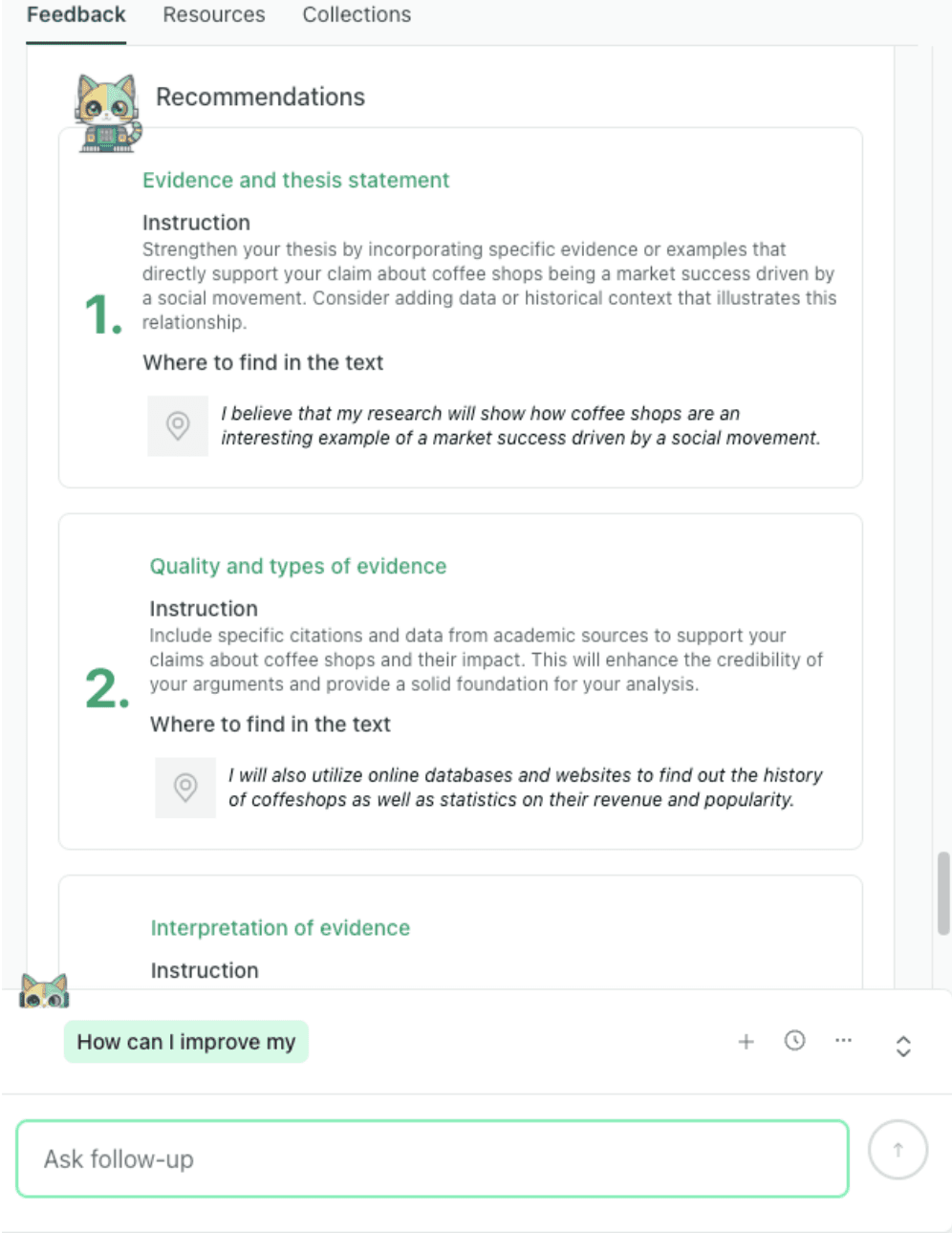
thesify turns feedback into clear revision priorities with examples from the draft.
thesify's usefulness is clearest in the following areas:
Reviewer-Style Critique: Surfaces the specific types of structural and methodological questions a journal editor or peer reviewer will ask, allowing for targeted revisions before submission.
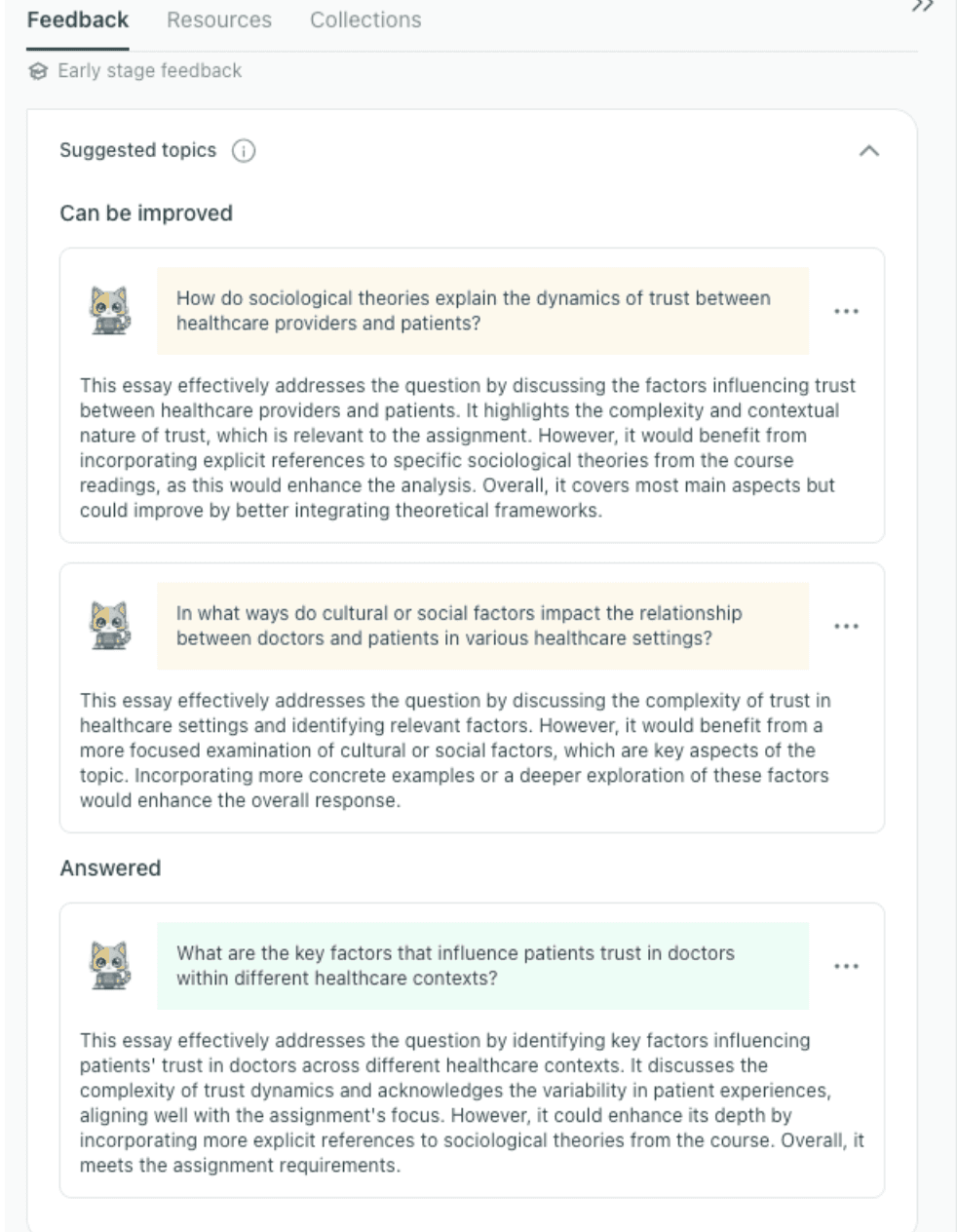
thesify identifies stronger topic directions early and shows which prompts the draft has already addressed.
Section-Level Review: Evaluates your methodology, results, and discussion sections individually to ensure rigorous reporting and prevent overclaiming. You can explore this capability in Introducing In-Depth Methods, Results, and Discussion Feedback in thesify.
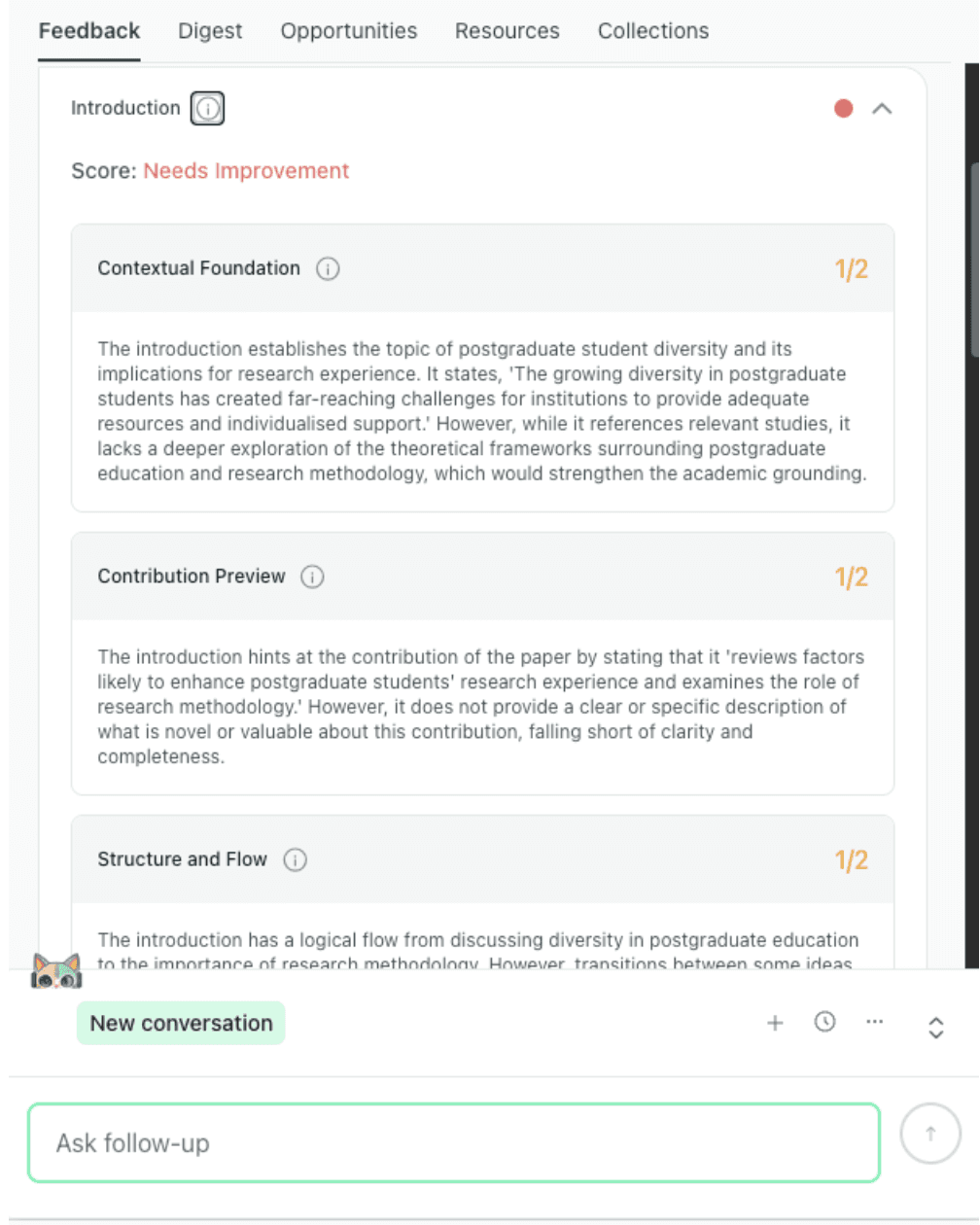
thesify highlights weaknesses in the introduction, including context, contribution, and flow.
Argument Structure: Evaluates the logical progression between your evidence and conclusions to ensure the central claim is fully supported.
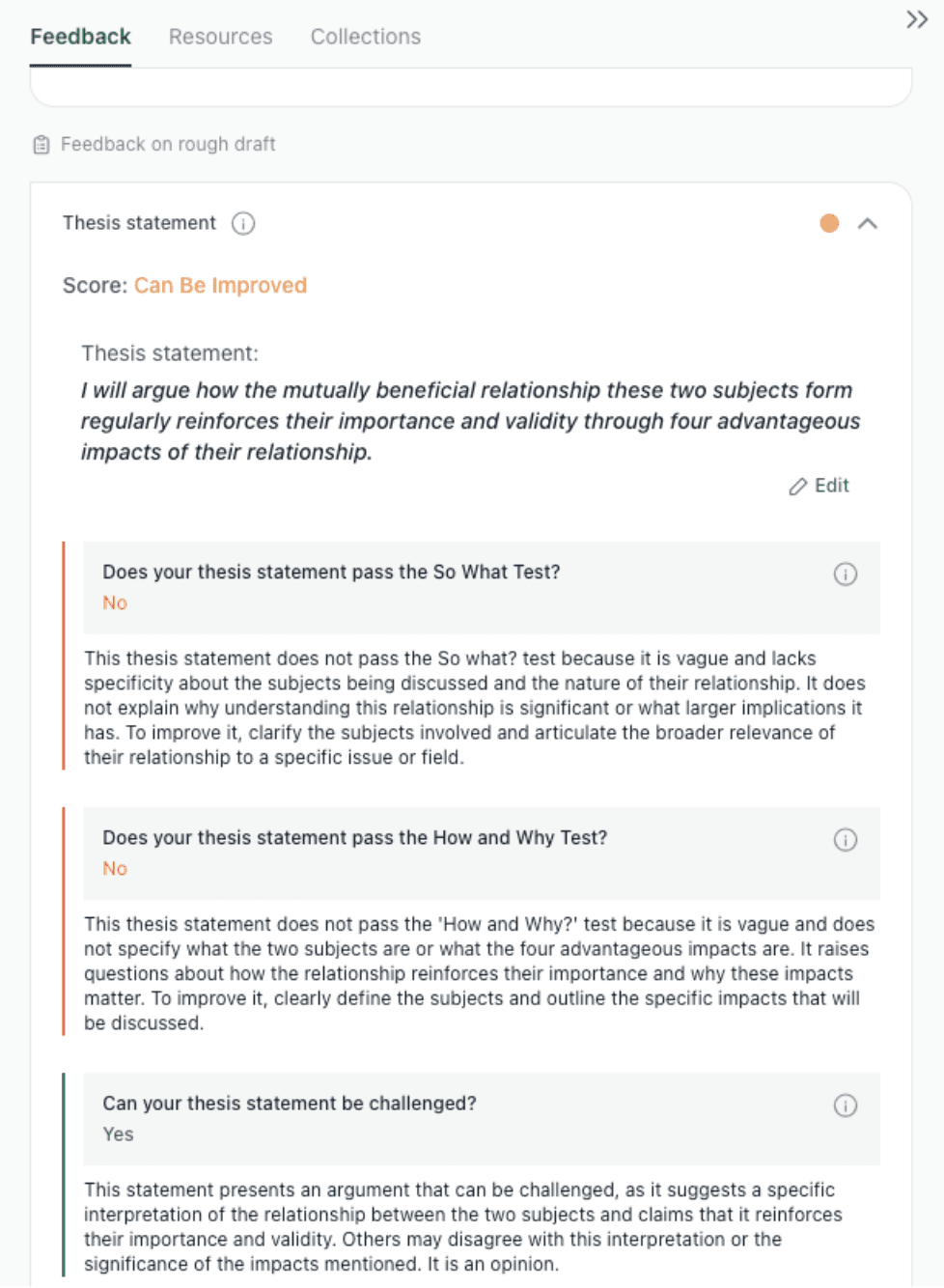
thesify evaluates a thesis statement against core academic tests for significance, clarity, and arguability.
Hypothesis Alignment: Scans the entire manuscript to flag instances where the discussion or evidence drifts away from the originally stated thesis.
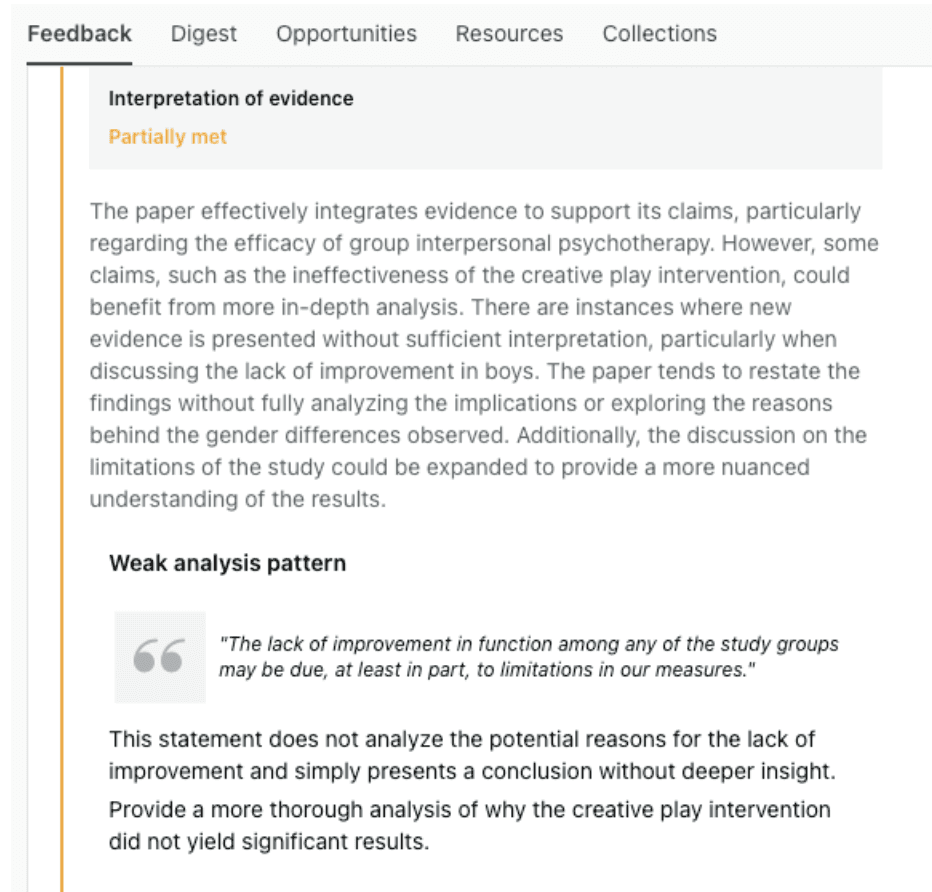
thesify flags places where evidence is presented without enough analysis or explanation.
Interactive Revision: Features a chat function that allows you to interact directly with your reviewer-style critiques to build a step-by-step revision plan. Read more about this in Chat with Theo: A New Way to Turn Feedback into Revision.
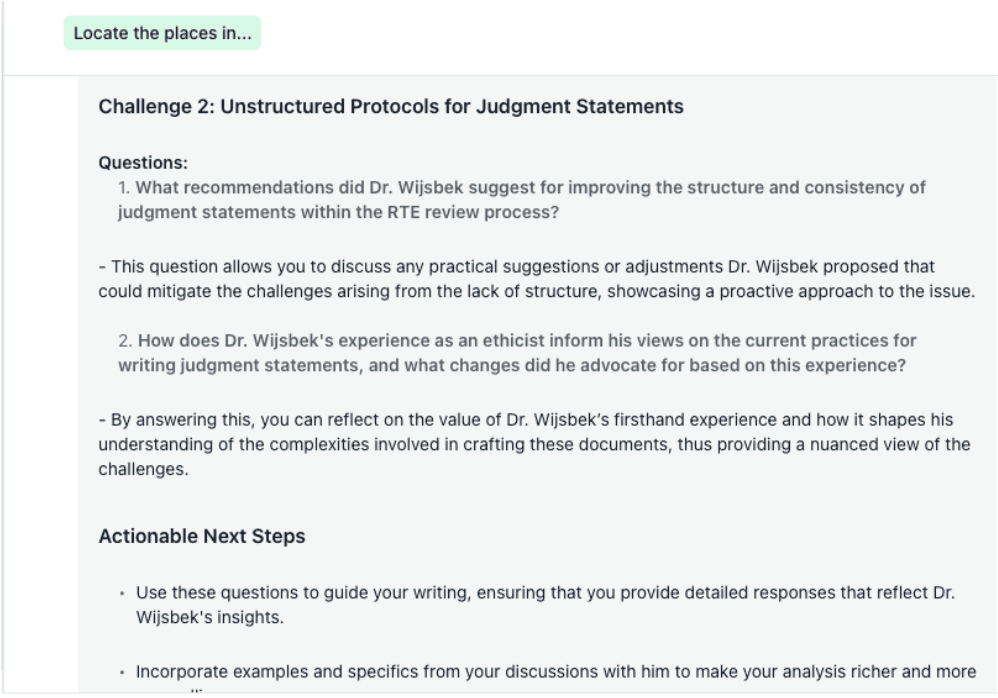
Chat with Theo helps turn feedback into concrete follow-up questions and revision steps.
Data and Visual Integration: Evaluates your visual evidence, checking captions, labeling, and data readability to ensure your figures align with the text, a process detailed in How to Get Table and Figure Feedback for Your Scientific Paper.
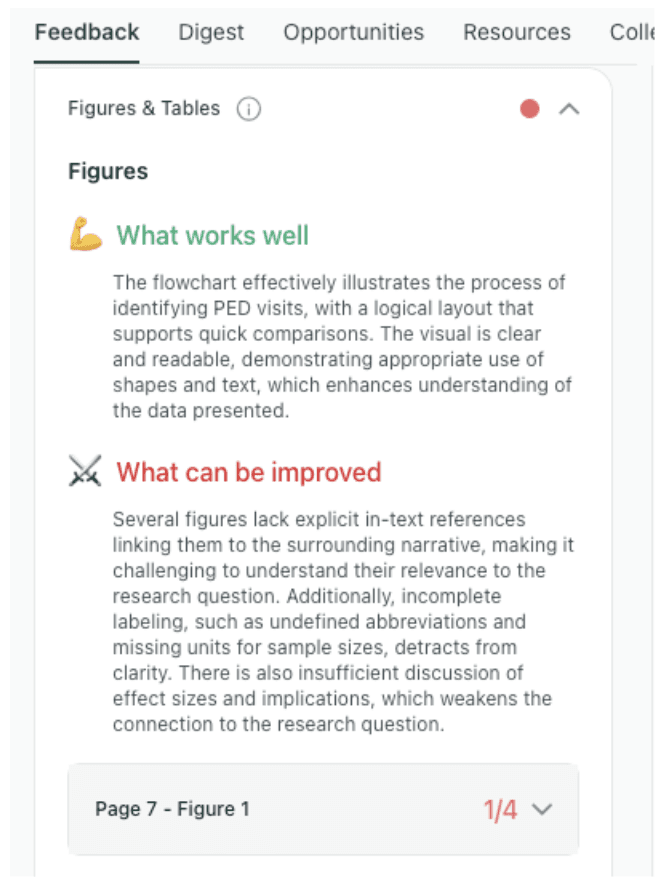
thesify reviews whether figures and tables are clearly labelled, integrated, and discussed in the paper.
Title and Abstract Optimization: Cross-references the final draft against the abstract, ensuring the paper's framing perfectly matches its actual scientific contribution.
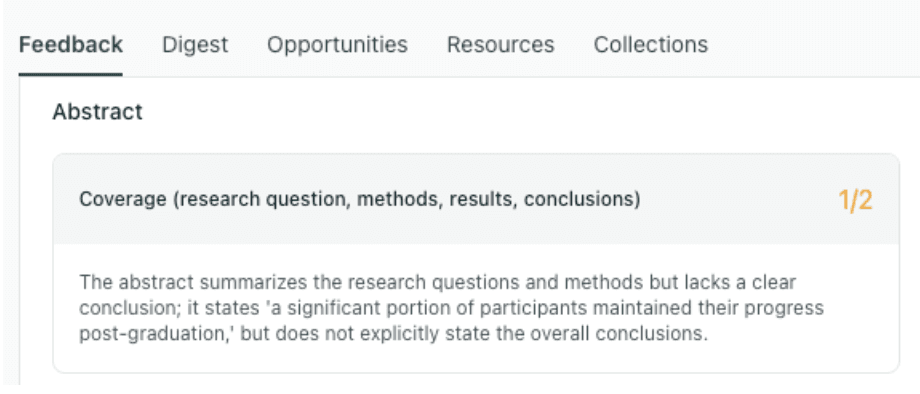
thesify shows when an abstract covers the main elements of a paper but still lacks a clear conclusion.
Used this way, thesify supports revision without replacing authorship. It helps researchers test the clarity and consistency of their work while keeping interpretation and argumentation in the writer’s hands.
Explore more on this workflow:
For a deeper look at the final polishing stage, read: Research Paper Title and Abstract Optimization: The Complete Guide.
If you want to see how this compares to other platforms in the space, see: 10 Best AI Tools for Academic Writing 2026 - 100% Ethical & Academia-Approved.
How to Build an AI Research Workflow Before Submission
A strong AI research workflow uses different tools for different tasks. Many AI tools for academic research are built for specific stages of the research process. Choosing the right tool at each stage makes the workflow easier to manage, supports more effective use, and makes AI use easier to document.
A Sample 2026 AI Research Tool Workflow
Find papers (Consensus or Semantic Scholar): Use Consensus for rapid, evidence-backed answers to focused queries. Use Semantic Scholar to build a broader reading list, trace influential citations, and establish literature alerts.
Map the field (Litmaps): Visualize how the literature connects. Trace citation paths, identify core thematic clusters, and ensure your review hasn't missed foundational studies. (Read more: Mapping the Conversation: How to Identify and Synthesize Key Research)
Extract evidence (Elicit): Transition from reading individual papers to building a literature matrix. Compare studies side-by-side across methods, sample sizes, variables, and outcomes.
Develop and refine your argument (thesify): Use thesify once you have a draft or working section. It helps you strengthen argument structure, check thesis alignment, and improve how the paper’s sections work together. It is also useful for section-level feedback on the introduction, methods, results, and discussion. For more on this, see Introducing In-Depth Methods, Results, and Discussion Feedback in thesify.
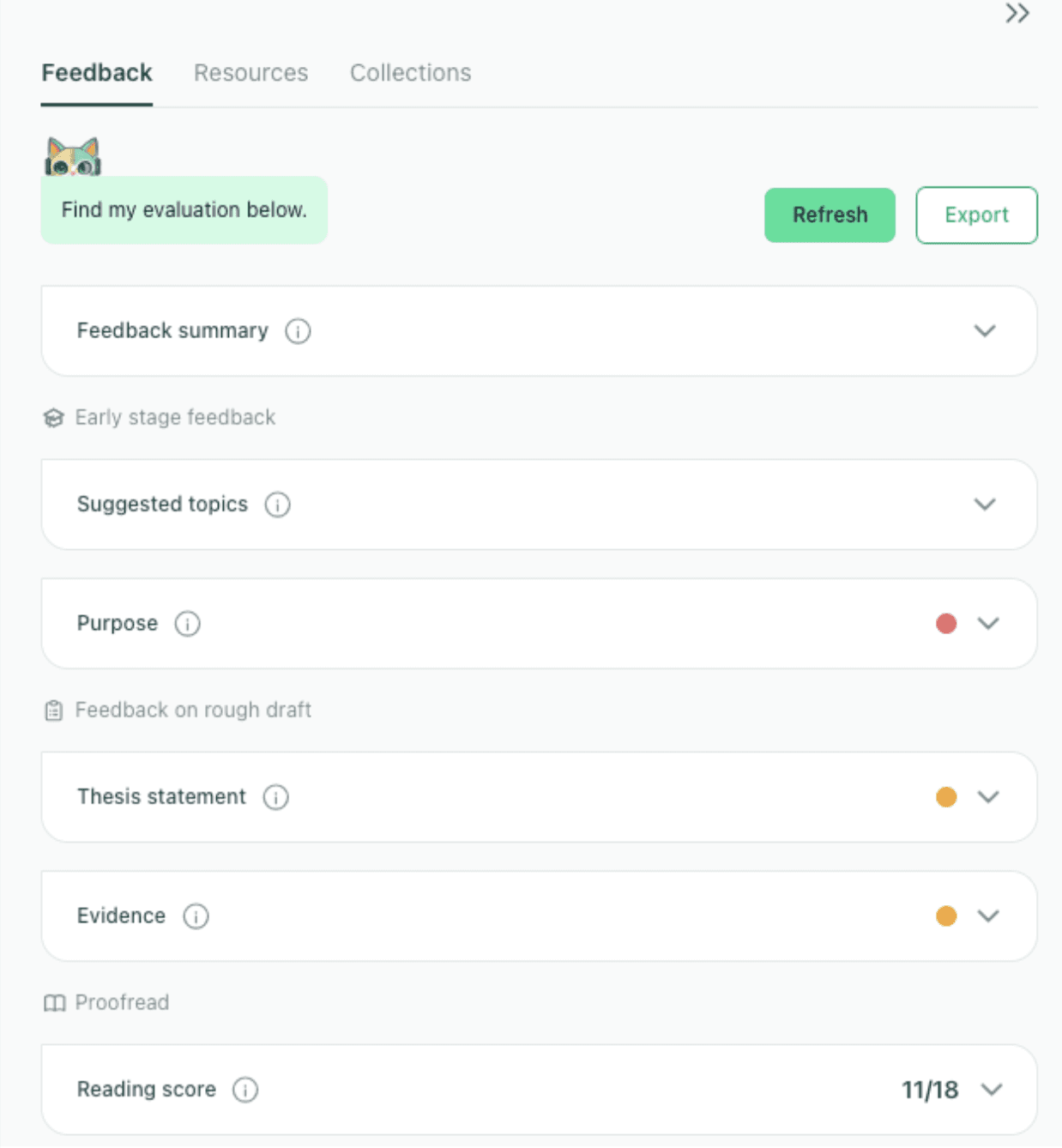
The feedback dashboard gives a section-by-section overview of where a draft is strong and where it needs revision.
This workflow scales based on project scope. A brief essay may require only discovery and comparison, while a thesis chapter or journal article necessitates all four stages to ensure academic rigor.
How to Use AI for Academic Research Responsibly
Responsible AI use in research depends on verification, disclosure, and documentation. Treat AI outputs as prompts for review, not as sources.
Verify: Never cite an AI summary. Use AI for screening and note-taking, but confirm all claims, methods, and limitations directly in the primary source.
Disclose: Follow your institution and target journal's AI policies. When required, transparently state exactly how the tools were used.
Refine: Use AI to evaluate structure, clarity, and consistency. Do not outsource your core argument or critical reasoning. For specific institutional guidelines, review Generative AI Policies at the World’s Top Universities.
FAQ: Best AI Tools for Academic Research
What are the best AI tools for systematic literature review automation?
Elicit is highly effective for extracting and comparing methods, samples, and outcomes across papers. Litmaps is stronger for citation tracking and ensuring your review isn't missing a major strand of the field. Together, they support different stages of academic research, from mapping academic discourse to identifying a research gap for novelty.
What is the best AI tool for finding research papers?
For focused, evidence-backed queries, Consensus is a top choice. For broader discovery, citation tracking, and building a reading list, Semantic Scholar is more useful. Most researchers benefit from combining both as part of The Ultimate 2026 Tech Stack: The Best Tools for PhD Students.
Can AI tools replace manual literature searching?
No. AI accelerates literature searching by surfacing related papers, citation paths, and summaries, but it cannot replace manual verification. Georgetown University explicitly warns against relying on a single tool, as important material can easily be missed when you are mapping the conversation.
Are AI tools allowed in PhD research in 2026?
This depends entirely on your institution, department, and the assessment context. For example, Cambridge allows students to make appropriate use of AI tools for personal study and research, while Oxford explicitly states that unauthorized use in assessed work constitutes cheating. Always review your own university’s AI policies.
Can AI summarize academic papers accurately?
Specialized tools can help summarize and organize academic papers by extracting their key findings and comparing studies. However, they are less reliable when a paper’s value relies on nuance. Summaries must always be verified against the original text to ensure accuracy. To ensure you are relying on trustworthy platforms, review our guide on AI Tools for Academic Research: Criteria to Identify Academic-Grade Tools.
Is it cheating to use AI for research?
Not inherently. Using AI for discovery, organization, or formative support is treated very differently from submitting AI-generated text as your own work. To ensure your workflow remains fully ethical and authorized, read our breakdown on When Does AI Use Become Plagiarism? A Student Guide to Avoiding Academic Misconduct and explore safe practices in our Ethical Use Cases of AI in Academic Writing.
Get Free Research Writing Feedback with thesify
If you want structured feedback on your argument, thesis alignment, and draft clarity, sign up to thesify for free and test it on your own research paper draft.
Related Articles
Academic AI Tools: Criteria, Compliance, and Research Integrity: Professional associations (APA, AJE) urge researchers to verify AI outputs, disclose AI use, and note that AI cannot be an author. Our guide offers criteria to identify academic-grade tools (using scholarly frameworks and policy insights) with pragmatic comparisons to popular tools.
Best Tools for Qualitative Researchers in 2026: From Fieldwork to Final Draft: AI has moved from “nice to have” to an essential feature in qualitative research software. Still, AI does not replace qualitative interpretation. Compare the best qualitative research tools in 2026. Build a secure workflow for transcription, CAQDAS, AI coding, synthesis and academic writing.
AI Policies in Academic Publishing 2026: For authors, the practical issue is no longer only whether AI was used, but how that use was documented, verified, disclosed, and checked against the rules of the target journal. Read our 2026 guide to journal AI policies, disclosure rules, image restrictions, peer review confidentiality, and a pre-submission checklist for authors.