Submitting a Paper to an Academic Journal: A Practical Guide

If you are searching for how to submit a paper to a journal, or how to submit a manuscript to a journal, this guide will give you clarity and reassurance that you are not missing something obvious.
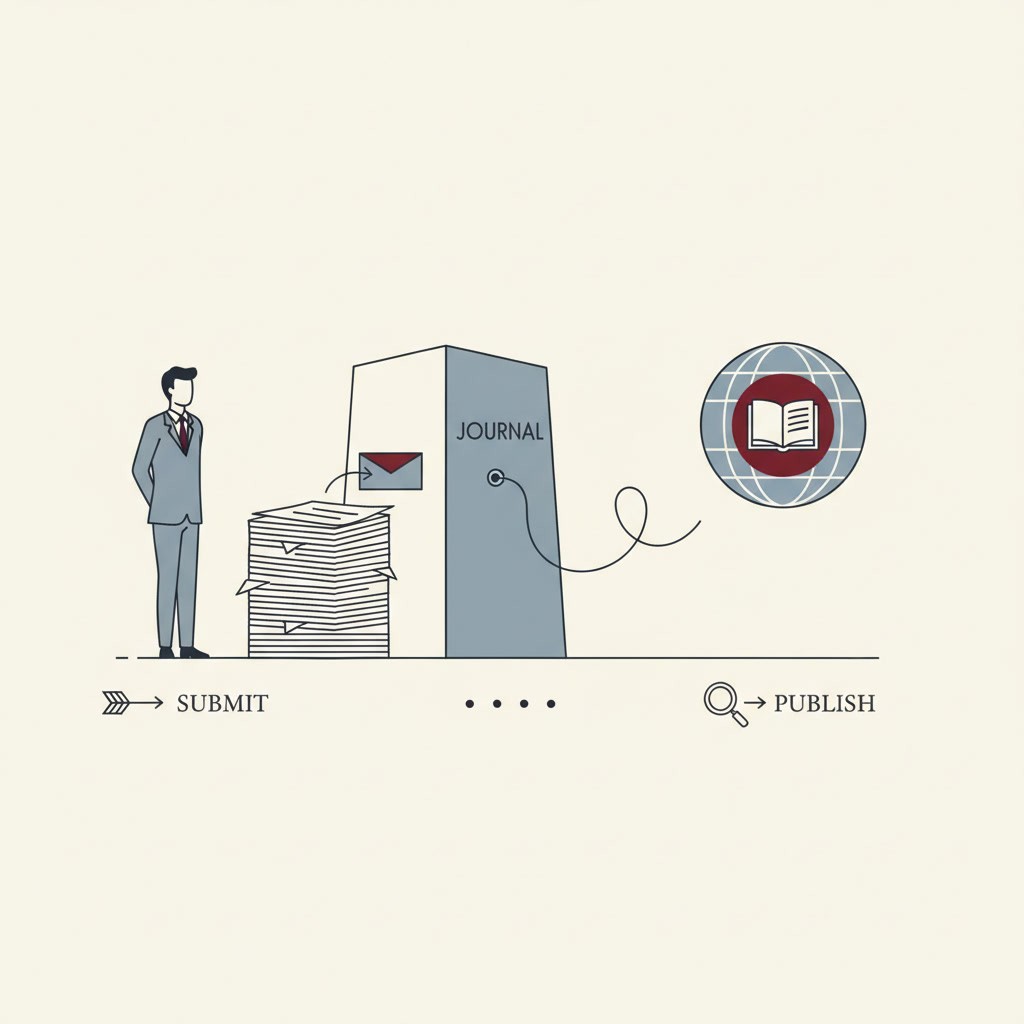
Journal submission is a workflow. You select a journal that fits your paper, build a complete submission package (files, metadata, and declarations), submit through an online portal, then move through editorial screening and peer review. This guide walks you through each step with checklists and templates you can reuse.
You will also see how the journal submission process typically works after you click submit, including screening decisions and peer review outcomes.
Quick Steps for Submitting a Paper to a Journal
Shortlist journals based on aims, scope, and article type
Read the Instructions for Authors and extract requirements
Build your submission package (manuscript, figures, supplements, statements)
Draft a concise cover letter aligned to journal scope
Prepare author metadata (affiliations, contributions, ORCID)
Upload files correctly in the submission portal and proof the PDF
Track editorial screening and prepare for peer review outcomes

Choose A Journal That Fits Your Paper (Step 1 of 5)
Step 1 focuses on journal fit, you will build a realistic shortlist for your topic and article type, which reduces the chance of an immediate scope mismatch rejection.
Build A Shortlist Using Papers You Cite
A practical starting point is the literature you already trust.
List 10–20 recent papers close to your topic, methods, and population.
Note which journals publish those papers.
Identify 3–5 realistic targets, rather than one “dream journal” and nothing else.
If you want a systematic way to judge whether a paper is actually comparable to yours (and therefore whether its journal is a realistic target), see How to Evaluate Academic Papers.
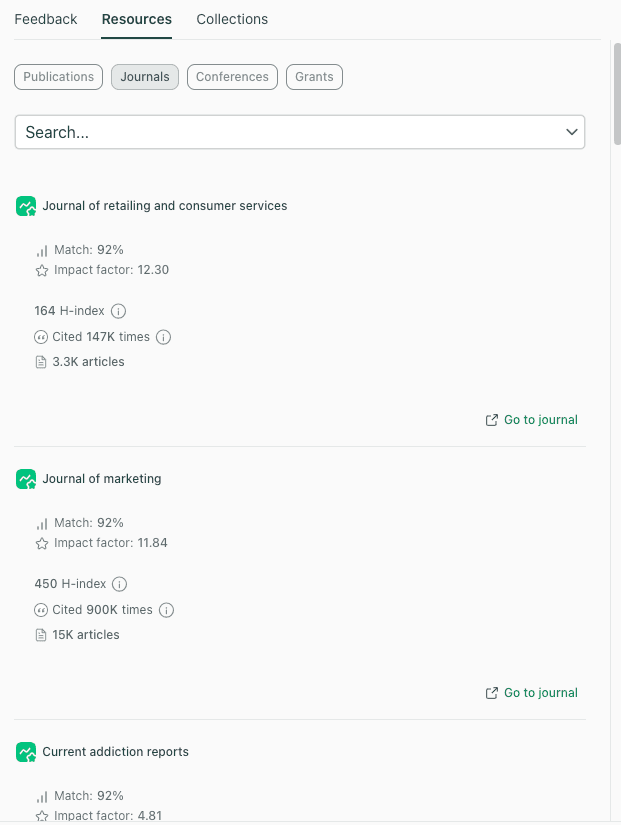
If you want a structured way to sanity-check your shortlist, journal recommendation tools can help you compare potential targets based on fit signals. For example, thesify’s journal recommendations surface candidate journals alongside key indicators, such as match score and common metrics, which can be useful when you are narrowing down where to submit.
Confirm Article Type, Word Limits, And Policy Fit
Before you commit to a journal, confirm:
The journal publishes your article type (original research, review, short report, methods paper).
Word limits, figure limits, and reference limits match what you have written.
The journal’s expectations for data and code availability align with your project.
The journal’s policies match your situation (preprints, author contributions, disclosures).
If AI tools were used in drafting, editing, or translation, confirm what the journal expects you to disclose, then standardize your disclosure language across your manuscript and submission fields. Use AI Policies in Academic Publishing 2025 to guide that check.
Screen For Predatory Journals Before You Submit
If a journal contacts you out of nowhere, promises rapid publication, or feels vague about indexing and editorial practices, pause and vet it.
Use the Predatory Journals 2026 Guide before you invest time in formatting and submission.
Build Your Journal Submission Package (Files And Requirements) (Step 2 of 5)
Step 2 is where you turn a finished draft into a submission-ready package, with every required file and declaration prepared before you enter the portal.
Turn “Instructions For Authors” Into A Checklist
Open the journal’s Instructions for Authors and extract requirements into a checklist you can tick off. Treat it as compliance documentation.
Capture:
File format requirements (Word, LaTeX, PDF)
Figure and table specifications (format, resolution, size)
Reference style expectations (or whether the journal accepts free-format submissions)
Anonymization requirements (single-anonymized, double-anonymized, open review)
Mandatory statements (ethics, consent, conflicts, funding, author contributions)
Any required forms or reporting checklists
Some publishers allow “free format” for initial submission, which can reduce formatting work upfront, but you still need the required statements and files.
Tip: Create a dedicated folder for each target journal, and keep a separate “Submission Notes” document where you paste every requirement you find.
Prepare The Core Files (Manuscript, Figures, Supplements)
Most journals expect a predictable set of core files. Create a folder named for the target journal and keep all submission materials inside it.
Core file checklist
Main manuscript file (including references)
Figures as separate files (if required)
Tables (embedded or separate, depending on the journal)
Supplementary files (appendices, extra figures, datasets, code, instruments)
Data and code availability statement (where relevant)
If you need a refresher on standard scientific structure, read our IMRaD Format Guide.
Prepare Submission Admin Files (Title Page, Blinded Manuscript, Checklists)
Many submissions also require “administrative” versions of your paper.
Admin file checklist
Title page (authors, affiliations, corresponding author details, acknowledgements, funding)
Blinded manuscript (if the journal uses anonymized review)
Highlights, graphical abstract, or cover image (journal-dependent)
Reporting checklist (study-type dependent, for example systematic reviews or trials)
Tip: if the journal requires a blinded submission, check the file properties too. Word processing metadata can contain author names even if they are removed from the text.
Prepare Ethics, Conflict, Funding, And AI Disclosures
Create a single document called “Declarations” and store your finalized text blocks there. You can paste these into the portal fields without rewriting them under time pressure.
Include:
Ethics approval statement (and consent statement where relevant)
Conflict of interest statement (including “no conflicts” where appropriate)
Funding statement (grant numbers, funder names)
Author contributions statement (CRediT roles if required)
AI-use disclosure (if relevant, aligned to journal policy)
For disclosure strategy and wording guardrails, use AI Policies in Academic Publishing 2025
Gather Author Metadata And ORCID IDs
Submission portals often require structured metadata that does not appear exactly as it does in your manuscript file.
Before you log in, collect:
Full names, emails, affiliations for every author
Corresponding author details
Author order confirmed by all co-authors
Contribution roles where required
ORCID IDs for each author (some journals strongly encourage or require these)
The journal submission package step is also where a pre-submission feedback step can be valuable. If you use a structured pre-submission review workflow, compare the concepts in Pre-submission vs Peer Review so you know what feedback can realistically fix before you submit.
Write A Cover Letter for Journal Submission (Step 3 of 5)
In Step 3, you will draft a concise cover letter that makes your fit and contribution easy to process during screening, without restating the abstract.
Publishers advise that cover letters should be concise, aligned with journal scope, and focused on the main contribution and relevance.
What To Include And What To Leave Out
A practical cover letter usually includes:
Manuscript title and article type
A concise summary of the question, approach, and main finding
Why the paper fits the journal’s aims and readership
A short statement of contribution to the field
Confirmation of exclusivity (not under consideration elsewhere), plus any required declarations
Avoid turning the letter into a second abstract. Editors have your abstract. Use the letter to frame fit and contribution efficiently.
Cover Letter Template (Copy/Paste)
Subject: Manuscript Submission, [Manuscript Title] ([Article Type])
Dear Editor,
I am submitting “[Manuscript Title]” for consideration as a [Article Type] in [Journal Name].
This manuscript examines [one sentence on the research problem and context]. We used [one sentence on the method/approach], and found [one sentence on the primary result]. These findings suggest [one sentence on the implication for the field or readership].
This paper fits [Journal Name] because [1–2 sentences connecting to aims, scope, and audience].
All authors have approved this submission. The work is original and is not under consideration elsewhere.
Sincerely,
[Name]
[Affiliation]
[Email]
[ORCID, if used]
Submit Your Manuscript In The Journal Portal (Step 4 of 5)
Step 4 focuses on clean portal execution, metadata entry, correct file placement, and proofing the compiled PDF so preventable admin delays do not derail the submission.
In this section, you will prepare what the portal requires so the submission is fast, accurate, and less likely to trigger admin queries.
Many journals use common submission systems such as Editorial Manager, ScholarOne, or publisher-specific portals.
What Submission Systems Usually Ask For
Whether the journal uses Editorial Manager, ScholarOne, or a proprietary system, you will typically enter:
Title, abstract, and keywords
Author information and affiliations
Funding and conflicts
Ethics confirmations (where relevant)
Suggested reviewers (only if requested)
Tip: keep a “Portal Copy” document with your abstract, keywords, declarations, and author metadata in plain text. It reduces copy errors.
Upload Files Without Mislabeling Them
Portals often have separate upload slots for:
Main manuscript
Blinded manuscript
Title page
Supplementary materials
Cover letter
A common avoidable issue is uploading the wrong file to the wrong slot, especially mixing blinded and non-blinded versions. Slow down here.
Proof The Compiled PDF Before Final Submission
Most systems generate a compiled PDF.
Before you click submit:
Confirm figures render clearly and in the right order.
Check tables are not cut off.
Confirm the correct manuscript version (blinded vs non-blinded).
Scan for obvious formatting corruption during conversion.
Save Your Manuscript ID And Submission Record
Save:
The submission confirmation email
The manuscript ID
The exact files you submitted (do not overwrite them later)
You will use these during revisions.
Editorial Screening, Desk Rejection, And Peer Review (Step 5 of 5)
Step 5 covers what happens after you submit, including editorial screening (and desk rejection), peer review decisions, and how to organize your response if revisions are requested.
In this section, you will understand what “in review” actually means, including screening outcomes and what to do when you receive a decision.
What Desk Rejection Means During Editorial Screening
After submission, journals typically run:
Administrative checks (missing fields, file issues)
Editorial screening (fit, scope, readiness, and priorities)
Desk rejection means the editor declines your manuscript during editorial screening, before external peer review. It is often driven by scope mismatch, unclear contribution framing, or submission package problems (missing statements, incorrect anonymization, non-compliant files).
If you receive a desk rejection, treat it as a routing signal:
Reassess journal fit and scope language.
Tighten the abstract and introduction framing for the journal’s audience.
Correct any compliance issues, then submit to the next journal on your shortlist.
Peer Review Outcomes And Timelines
If your manuscript goes to review, outcomes typically include:
Minor revisions
Major revisions (revise and resubmit)
Rejection
Acceptance (less common without revisions)
Timelines vary by field and journal. Plan emotionally and practically for revisions as the normal path.
How To Respond To Revisions Efficiently
When revisions arrive:
Create a point-by-point response document.
Quote each comment, then describe what you changed and where.
Keep your tone professional and direct.
Use the Peer Review Process Guide for a workflow overview, and Respond to Reviewer Comments for response letter structure and examples.
Final Journal Submission Checklist
Use this 10-minute checklist right before you click submit.
Journal Fit
The aims and scope match my topic and methods
The article type is correct for this journal
Policies (preprints, disclosures, data) are compatible
Submission Package
Manuscript is final and readable
Supplementary files are labeled and referenced
Blinded and non-blinded versions are correct (if required)
Declarations are ready (ethics, conflicts, funding, contributions, AI disclosure)
Portal Readiness
Author metadata is correct (affiliations, emails, ORCID)
Abstract and keywords are ready to paste
Upload slots are correct
Compiled PDF proof has been checked
Manuscript ID and confirmation email saved
FAQ About Submitting a Paper to a Journal
Do You Need A Cover Letter For Journal Submission?
Many journals request one, and it can help editors screen for fit. Keep it short, and align it to the journal’s scope and audience.
Can You Submit The Same Paper To Multiple Journals At Once?
In most cases, no. Journals typically require that the work is not under consideration elsewhere, and you usually confirm this during submission.
What Happens After You Submit A Manuscript?
Your submission typically goes through administrative checks, then editorial screening, then (if sent out) peer review and a decision.
How Long Does Journal Review Take?
It varies widely by field, journal volume, and reviewer availability. A practical approach is to check the journal’s website for indicative timelines and plan for revisions.
What Is Desk Rejection?
Desk rejection is a decision made during editorial screening, before external peer review, often due to scope mismatch or submission readiness issues.
What Files Do You Need For Journal Submission?
Common requirements include a manuscript file, figures, tables, supplementary materials, a title page, a blinded manuscript (if required), and declarations.
Do You Need An ORCID To Submit A Manuscript?
Some journals strongly encourage ORCID, and some submission systems may require it for the corresponding author. It is best to set up ORCID early and confirm the journal’s requirements in the Instructions for Authors.
A Two-Pass Journal Submission Workflow to Reduce Errors
If journal selection or submission readiness is slowing you down, it can help to separate the work into two passes: (1) shortlist and fit checks, (2) submission package assembly.
Some researchers use thesify’s journal and publishing workflow resources to support these steps, particularly when they want to reduce preventable errors and administrative delays (see Conference Submission and Academic Publishing and Downloadable AI Feedback Report PDF).
Journal Submission Support From thesify
Sign up for thesify for free to shortlist target journals using the Journal Recommendation tool, then run a Pre-submission Review to check submission readiness before you submit.
Related Posts
Pre‑Submission Review vs Peer Review: Pre‑submission review happens before you send your work to a journal or funding body, whereas peer review is the independent assessment performed by journal‑selected experts after submission. Knowing the difference between pre submission review and peer review helps you schedule revision time, plan for possible revisions, and manage expectations about decision outcomes. Without this clarity, authors may either neglect valuable early feedback or misinterpret automated checks as official peer review, risking research integrity and disappointment.
How the Peer Review Process Works: Understanding the stages your manuscript undergoes during academic peer review can demystify this often-daunting scholarly publishing process. This guide offers a clear breakdown of the typical steps as well as the types of peer review (Single-Blind, Double-Blind, and More). Peer review models differ significantly across journals and disciplines, each with unique benefits and potential drawbacks. Learn how the academic peer review process works and how to navigate it successfully. Practical tips for authors, ethical AI insights, and peer review FAQs included.
Responding to Reviewers: How to Handle Peer Review Comments: Master the art of responding to reviewers by managing emotions, mapping feedback, resolving conflicts, and crafting persuasive responses for peer review. Responding to reviewers is not just a bureaucratic exercise; it is a dialogue that can strengthen your scholarship. By managing your emotional reaction, organising feedback strategically, crafting a persuasive narrative, addressing conflicts thoughtfully, and planning your workflow, you can turn a revision request into an opportunity.